MySQL安装
Lio 2022-04-24 学习笔记
# 下载MySQL
在官网下载MSI版本或者zip版本。下载地址 (opens new window)
MIS版本逐步安装即可,这里主要记录一下文件夹版本安装
# ZIP版本
目前下载完的的文件夹之后是没有my.ini文件,需要自己手动创建一个进行配置
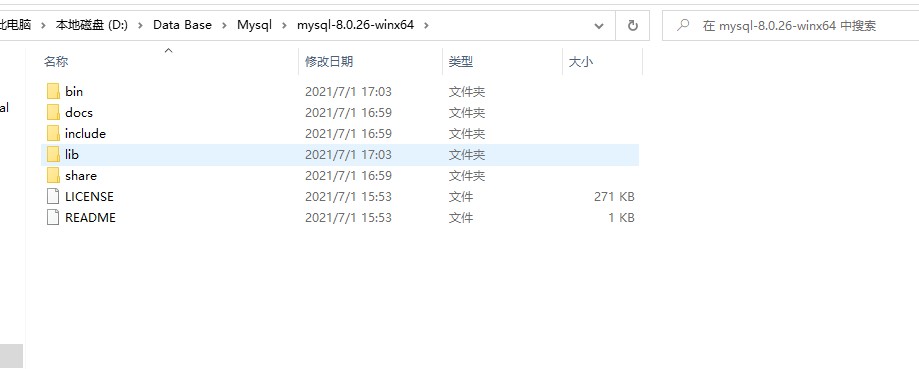
# For advice on how to change settings please see
# http://dev.mysql.com/doc/refman/5.6/en/server-configuration-defaults.html
# *** DO NOT EDIT THIS FILE. It's a template which will be copied to the
# *** default location during install, and will be replaced if you
# *** upgrade to a newer version of MySQL.
[client]
# 设置mysql客户端连接服务端时默认使用的端口
port=3310
default-character-set = utf8mb4
[mysql]
no-beep
# 设置mysql客户端默认字符集
default-character-set = utf8mb4
[mysqld]
# 服务端使用的字符集默认为utf8mb4
character-set-server = utf8mb4
collation-server = utf8mb4_bin
init_connect='SET NAMES utf8mb4'
#设置默认密码认证插件
default_authentication_plugin = mysql_native_password
# Remove leading # and set to the amount of RAM for the most important data
# cache in MySQL. Start at 70% of total RAM for dedicated server, else 10%.
innodb_buffer_pool_size = 128M
# Remove leading # to turn on a very important data integrity option: logging
# changes to the binary log between backups.
# log_bin
# These are commonly set, remove the # and set as required.
#安装目录
basedir = D:/Data Base/Mysql/mysql-8.0.26-3
# 设置mysql数据库的数据的存放目录
datadir = D:/Data Base/Mysql/mysql-8.0.26-3/data
# 允许最大连接数
max_connections=200
# 允许连接失败的次数。
max_connect_errors=10

port = 3310
# server_id = .....
# Remove leading # to set options mainly useful for reporting servers.
# The server defaults are faster for transactions and fast SELECTs.
# Adjust sizes as needed, experiment to find the optimal values.
join_buffer_size = 128M
sort_buffer_size = 16M
read_rnd_buffer_size = 16M
sql_mode=NO_ENGINE_SUBSTITUTION,STRICT_TRANS_TABLES
1
2
3
4
5
6
7
8
9
10
11
12
13
14
15
16
17
18
19
20
21
22
23
24
25
26
27
28
29
30
31
32
33
34
35
36
37
38
39
40
41
42
43
44
45配置环境变量
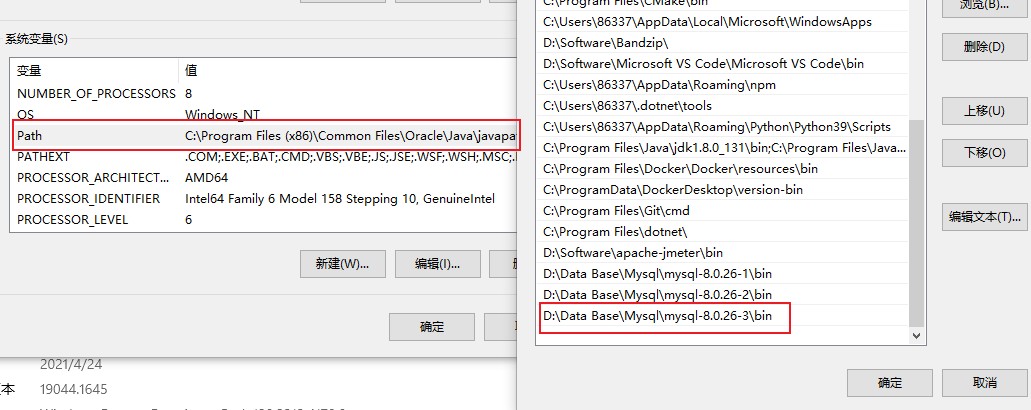
以管理员身份打开cmd,cd到mysql/bin目录下:
- 生成data文件夹
mysqld --initialize-insecure --user=mysql1- 安装mysql服务,同时绑定my.ini文件
mysqld --install "MySql3310" --defaults-file="d:/Data Base/Mysql/mysql-8.0.26-3/my.ini"1- 启动服务
net start mysql33101- 登录mysql,当前是没有密码的,直接回车进入即可,然后修改密码
mysql -u root -p

ALTER USER 'root'@'localhost' IDENTIFIED WITH mysql_native_password BY '密码';
1
2
3